Category: WordPress
-

How to Replace Bullet List Point with Images in WordPress
Hey geeks, usually we see default bullet list points when creating content using the default WordPress block Editor and it doesn’t look good with the content style and you want to replace/change it with some images or graphics.In this tutorial I will show you step by step to replace the default bullet with images: Replace…
-

Change Excerpt Length in posts
Sometimes titles are not that effective to grab the viewer’s attention, In that case, viewers go through with the summary which we call excerpts to read about the quality of the content. By default, the default length of excerpts provided by WordPress for excerpts is 55 words, which may not be sufficient. In this post,…
-

Display Dynamic Year in copyright text in footer in WordPress
Hello guys, so you have to update year in WP footer copyright text every year manually? What if you forget to update, to your visitors it means your site is no longer active or managed in current year. Also if you are developing the site for your client with zero technical knowledge then you would…
-

Develop WordPress Plugin From Scratch – Part 1
If you are reading this article then you are already familiar with WordPress which is most used CMS in world. Ever wondered why it is most popular CMS, of course it is easy to set up and use. Second reason it has huge repository of free plugins and themes. Plugins add more additional functionality to…
-
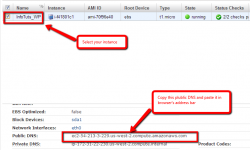
Install WordPress on Amazon EC2- Part2
This post is the second part of Easily Install WordPress on Amazon EC2. Now I assume you have created your EC2 Micro Instance. Let’s connect with SSH and start installing packages/softwares. We will install Apache, PHP, MySQL, PHPMyAdmin because we need these to run our WordPress. Note 1: To install any package you need to…
-
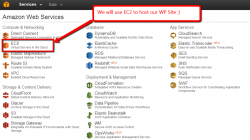
Easily Install WordPress On Amazon EC2 – Part 1
It’s really easy to install WordPress on Amazon’s cloud server. Get your WordPress website up and running instantly. Amazon offers free usage for first one year, so you can try their servers and decide yourself if you want to use their services further or not. This tutorial will guide you how to install all needed…