Category: Ajax
-

Ajax table – Add Edit Delete Rows Dynamically Using jQuery PHP
Hi guys I have previously written a tutorial on inline row editing in an HTML table. It helped a lot of people so I thought why not to write a complete tutorial on adding, removing and editing rows in an HTML table via Ajax. It’s really user friendly because user doesn’t need to refresh the…
-

Ajax Multiple Image upload using Javascript and PHP
In this post we will see how to create ajax image upload using javascript and PHP. I have already published tutorial on drag drop file upload using jQuery and Dropzone.js, but this script will have its own significance as it’s purely javascript based and uses jQuery UI for progress bar uploader. There’s a lot that…
-

Cascaded Dropdown with jQuery Ajax and PHP
Cascaded drop down lists or dependent dropdown list are easy to create in PHP using jQuery and ajax. It’s a good idea to filter things and show user what is needed to be displayed. Suppose we have to create a form where we want users to select a cricket player with his country. So what…
-

Send HTML Form Data as JSON via Ajax
There’s a lot of confusion among new developers on which format data should be sent to server. Some dev’s create data string manually and some use jQuery’s API methods .serialize() and .serializeArray(). Our last tutorial shows how to use serializeArray() method to send array of objects to server via Ajax. Now taking it further what…
-
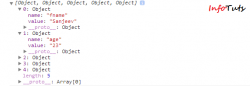
Submit Form with jQuery Ajax
Previously I have written tutorials on Insert data using jQuery and PHP without refreshing the page. In that tutorial we were submitting form by creating data string and then sending it to PHP using $.post. So just consider if you have large number of fields in your form then it would be difficult plus more…
-

Image File Upload With Ajax and PHP
Uploading files to servers is required in almost every website and web applications. To make file uploading easier and user friendly it should be done via an Ajax call. With Ajax your whole page will not be sent to server and hence user will not have to wait more. In this tutorial I will show…